The shape of a Reddit thread, instantly.
Most ‘sentiment analysis’ tutorials assume you’re going to install TextBlob, write a Python loop, and then squint at a polarity score. There’s a faster path for the question you actually have: what is this thread about, what do people keep saying, and which comments carried the room?
Sentiment analysis got famous as a category and then immediately overshot the actual question most people have. The actual question is rarely “is this comment positive or negative on a scale of -1 to +1.” It’s “what are the four things this thread keeps coming back to, and what did the person with 800 upvotes say.”
What the Insights tab surfaces
Four panels, generated automatically the moment you extract a thread:
- Top words — the four most frequently used non-stop-word terms across all comments. Stop-word filtered. The interesting signal: which nouns dominate the conversation.
- Top phrases — the three most-used two-word phrases (bigrams), ranked by co-occurrence. Phrases tell you more than single words. “Customer support” is different from “customer” and “support” counted separately.
- Questions — comments containing a question mark, ranked by length and engagement. A surprising amount of a thread’s shape is in what people are asking, not what they’re asserting.
- High-engagement highlights — the top two comments by score, shown with author and a clickable permalink.
That’s it. No charts, no clusters, no PCA, no AI. Four panels, each answering an obvious question that a researcher or marketer reading the thread would otherwise have to compute by hand.
 Insights · Reddit Comment Exporter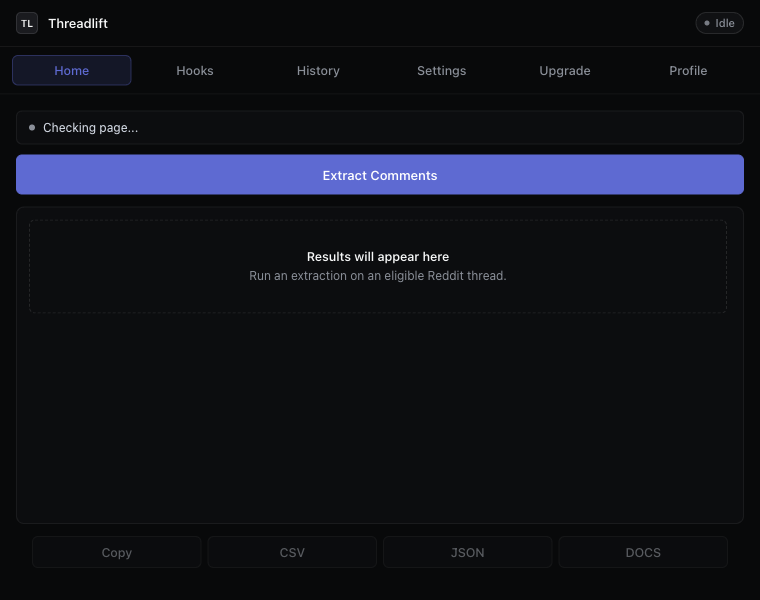
Why we don’t use AI for this
Three reasons. First, you don’t need it: top-words and top-phrases are simple counts. AI adds latency and cost without changing the answer. Second, deterministic results mean two people running the analysis on the same thread get the same panels. Reproducibility matters for research, and matters for trust. Third, AI summaries hallucinate. A count cannot.
Where AI is the right tool — generating positioning hooks from the thread for marketers — we use it explicitly, in our Pro tier (which also includes a heuristic Hooks generator that stays deterministic, alongside the AI angles). See how Reddit marketing hooks turn comments into ad angles for the full breakdown. We keep the lines clear.
When you should reach for actual sentiment analysis
Sometimes you really do need a sentiment score. The cases are narrower than the literature suggests:
- Tracking sentiment over time on the same subreddit — for that you want a longitudinal panel and a real model. Use VADER or a transformer; the Insights tab won’t do this.
- Comparing two threads quantitatively — same answer, you need a model.
- Big enough corpus that human reading is impossible — same answer.
For a single thread you can read in fifteen minutes, the Insights panels are usually all you need to skip the cold-read and jump to the parts that matter. That’s the use case we optimized for.
How to use it well
Look at top phrases first, top words second
Single words are noisy — “people,” “think,” “want” show up everywhere. Bigrams are where the topic of the thread is. If the top phrase is “monthly subscription” and the second is “cancel anytime,” you know exactly what discussion you’ve walked into.
Read the top two questions before reading the thread
Questions in a Reddit thread are the thread’s actual frame. The top OP question and the most-engaged-with reply-question almost always tell you the central debate. You can decide whether to keep reading.
Use highlights as a starting point, not a summary
The two highest-scoring comments aren’t the thesis of the thread — they’re the most-resonated. Often that means a great joke or a contrarian take, not the most informative comment. Read them; don’t mistake them for a summary.
If you want to do real analysis
Insights is for the in-extension scan. For real analysis, export the Reddit thread to CSV and load it into your tool of choice. Three patterns we see:
- Sheets: open the CSV, pivot by author, sort by score. Surprisingly powerful for a Tuesday afternoon question.
- Pandas: CSV → DataFrame → groupby. Five lines of code gets you per-thread engagement curves.
- NVivo / MAXQDA: import the CSV, code the comments. The depth column lets you filter to top-level comments only when needed.
The Insights tab takes 0 seconds. The CSV → analysis path takes longer but answers harder questions. Both are free. If you’re running Insights so you can come back to the thread later, also see how to save Reddit comments before they disappear — the export is what protects the snapshot.
Keep reading
Download · Save
Download Reddit comments to your disk
Save every comment from a thread before it disappears — CSV, JSON, Markdown, or a Google Doc.
Thread exporter
A Reddit thread exporter for the next thread you open
Comment scraper that runs in your browser. No API key, no OAuth, hierarchy intact, “more replies” auto-expanded.
How-to
Export Reddit comments to CSV
The cleanest way to get a Reddit thread into a spreadsheet — with hierarchy intact.
Stop copying comments by hand
Install once. Export forever.
A free Chrome extension built for one platform. Add it on the next thread you open.